sim key overview
A key overview taken from the product's docs. Only keys the docs list as built are here. The complete list is the product's own key table, `sim/keys.tsv`.
Starting
| Keys | What they do |
|---|---|
| simsim dir | Open the tree of the current directory, or of dir. |
| sim filesim file:42 | Open a file (with the tree closed), optionally at a line. |
| sim +/re file | Open a file and search for a pattern first. |
Saving and quitting
| Keys | What they do |
|---|---|
| Ctrl-s | Save, in every mode. |
| ZZ:x:wq | Save if modified, and quit. |
| q:q | Close the current file; closing the last one exits. |
| ZQ:q! | Close without saving. |
| :w! | Save even over a read-only file, or keep your version over a change on disk. |
| :wa:qa:qa! | Save all, quit all, quit all discarding changes. |
| :cq | Quit with exit code 1 (aborts a git commit). |
The tree
| Keys | What they do |
|---|---|
| Ctrl-n | Open and focus the tree, or close it when it has focus. |
| jk | Move down and up. |
| lEnter | Expand a directory, or open a file. |
| h- | Collapse a directory (or go to its parent); - collapses everything. |
| / | Search every file under the root as you type. |
| . | Narrow the tree to changed, open and recent files; again shows everything. |
| Escq | Give the focus back to the text; q closes the tree. |
Finding files and text
| Keys | What they do |
|---|---|
| Ctrl-p | Find files by fuzzy match, from anywhere. |
| Ctrl-f | Search the contents of every file as you type, from anywhere. |
| Ctrl-nCtrl-p↓↑ | Move the selection. |
| Enter | Open the selected result. |
| Esc | Close the window; everything is as it was. |
Several files
| Keys | What they do |
|---|---|
| TabShift-Tab | Next and previous open file. |
| :e file:e! | Open another file; reload this one. |
The vi grammar
| Keys | What they do |
|---|---|
| h j k lw b e0 ^ $gg Gf F t T ; ,%Ctrl-d Ctrl-u | Motions, with counts. |
| x r J p PuCtrl-r.i a I A o Odd cc yy D C Y>> << | Editing, repeating and undoing. |
| d c y > <iw aw i" a( i{ … | Operators, combined with a motion or a text object. |
| vVo | Visual mode: characters, lines, swap ends. |
| /?n N* #:noh | Incremental, smartcase search, and clearing its highlight. |
| :{N}:%s/re/rep/g:{range} | Go to a line, substitute, and ranges (%, ., $, '<,'>). |
| YU | Where sim departs from vi: Y yanks to the end of the line, U redoes. |
| "ayw"ap:registers | Registers: put a name before a command ("ayw yanks into a, "ap puts it); "A adds, "0 is the last yank, "1 to "9 the last deletes, "+ writes the system clipboard. :registers lists them. |
| ma'a`a'':marks | Marks: ma sets one, 'a goes to its line, the backtick key to its place, '' goes back to before the last jump; :marks lists them. |
Looks
| Keys | What they do |
|---|---|
| zl | Go round the looks: calm, flat, depth. |
| zh | Syntax colors on and off. |
| zi | Icons on and off. |
| <Space>um | Markdown read view on and off. The line the cursor is on is always the file's own text. |
git
| Keys | What they do |
|---|---|
| <Space>ge | The tree with only the files that differ from HEAD; Enter opens HEAD's version read-only, and <Space>ge again (or q) goes back. |
| <Space>gi | Says again what the guard did to this repository: why git was not run, or which settings were turned off. |
Mouse
| Keys | What they do |
|---|---|
| clickwheeldrag | Click to open or place the cursor, wheel to scroll, drag to select. |
Changes from outside
| Keys | What they do |
|---|---|
| ]c[c | Go to the next or previous change from outside. |
| :seen | Clear the change marks. |
Flags and environment
| Keys | What they do |
|---|---|
| sim --plain | The core alone: the calm look, one file, no panel, no external program. The default as root and as the editor of sudoedit. |
| sim --versionsim --help | Print the usage and the environment sim reads, or the version, and exit. |
| NO_COLOR | No color at all, also on terminals with fewer than 8 colors: weight, underline and inverse video say what color said. |
| SIM_ON_NORMAL | A command run each time you return to Normal mode, for example to turn an IME off. SI_ON_NORMAL, its old name, still works. |
Key guidance
| Keys | What they do |
|---|---|
| <Space> | The leader key. A pause on Space (or on g, z, [, ], an operator) opens a small window that lists the keys that can come next. |
| F1:help | A searchable list of every key and command, with what each does. :help tab finds Tab, Shift-Tab and <Space>bp. |
| <Space>bp | Put a letter on each tab; the letter jumps to its file. |
| <Space>bc | Pick a tab by letter to close it. A modified file stays open. |
| :tutor | About fifteen minutes of lessons in a scratch buffer, in your language; nothing is written. |
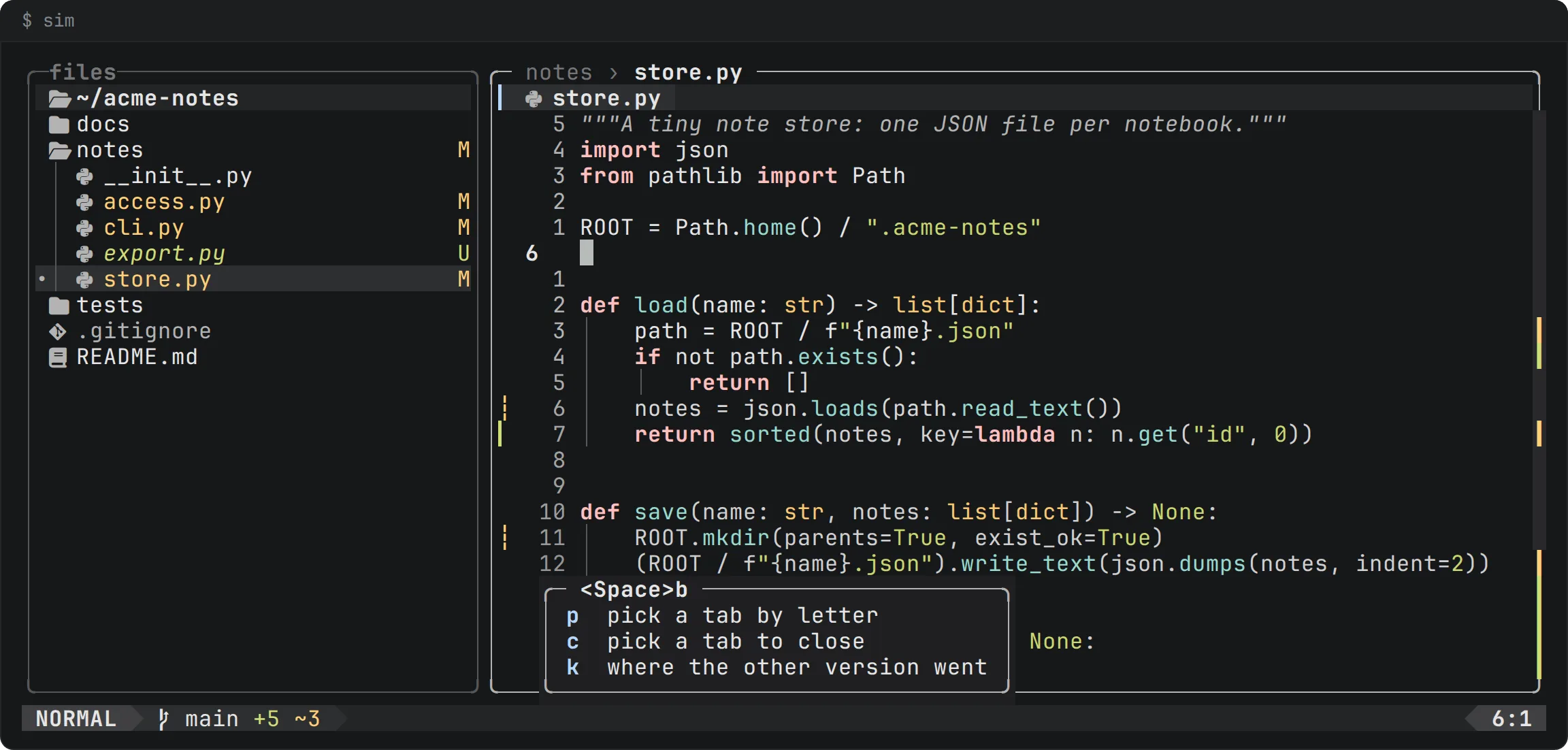
Esc closes it.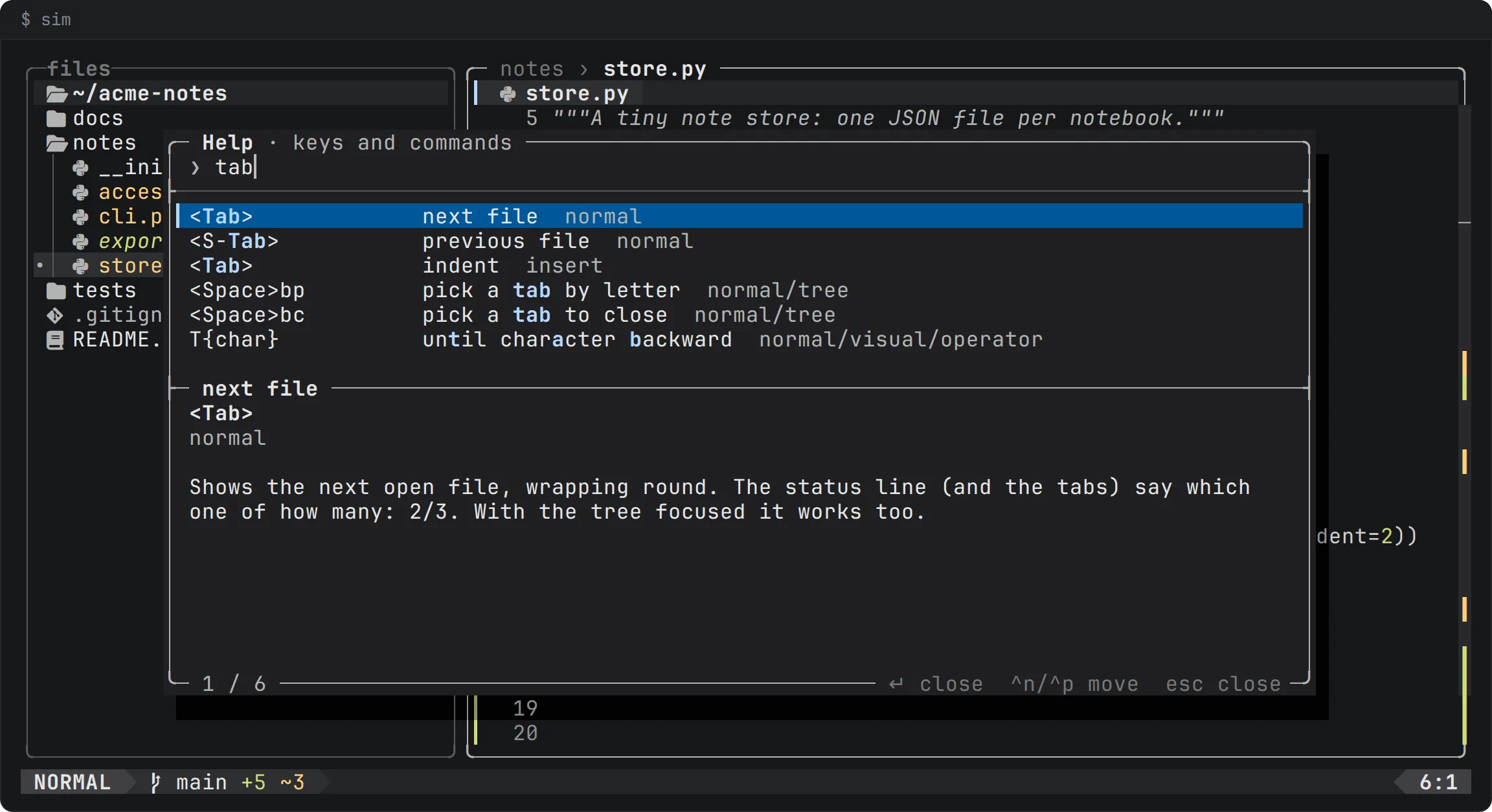
:help tab: every key and command in one searchable list, made from the same key table that which-key reads. The preview says what the selected key does. Enter and Esc close it and run nothing.The complete list
The complete list is the product's own key table, sim/keys.tsv. The editor's :help, F1 and which-key read it, its tests check it against what the keys do, and the key guidance above is checked against it, so none of them can drift from the editor. :tutor is on the roadmap.